
Start or resume a voice conversation
Return to the voice conversation page whenever you are ready.
Open the voice conversation page when you are ready to talk. Fablr is designed for short sessions over time, so you can stop and come back later.
Who this is for
Storytellers using their own account and family helpers getting the voice page ready.
Before you start
- Sign in to Fablr.
- Annual Access is required to record your own stories.
- Use a device with a working microphone.
What to do next
- Open the voice conversation page.
- Look for the page heading Ready when you are.
- Tap the microphone button labeled Start conversation.
- Allow microphone access if your browser or device asks.
- Speak normally. If Fablr shows a Previous session section, you can continue from that context.
- Use Pause for a short break, Resume to continue, or Stop to end the conversation.
What you should see
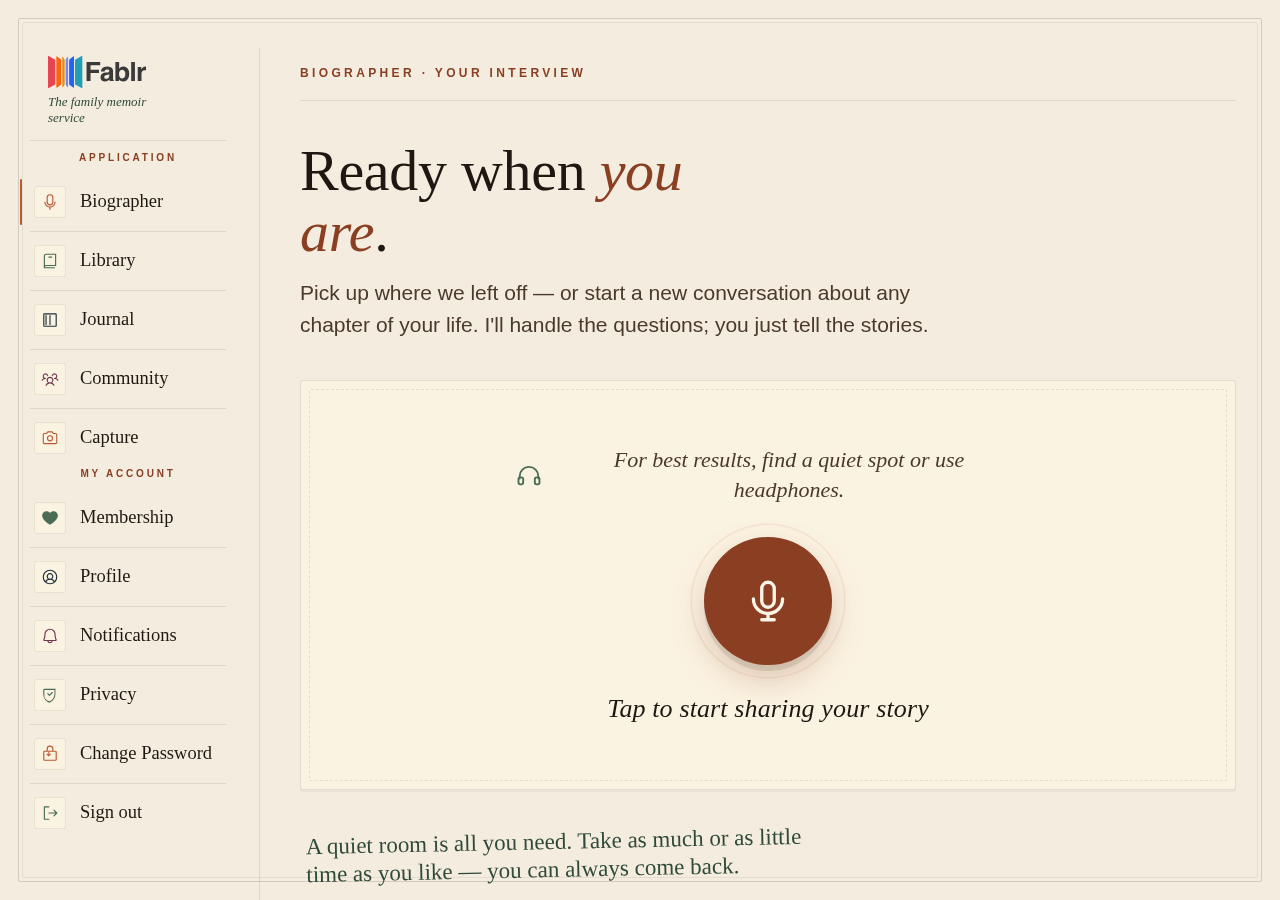
How you know it worked
The page shows Connected and the recording indicator or transcript area is active.
If something goes wrong
You see Subscribe to start recording.
Open subscription settings and check that Annual Access is active.
The page stalls or repeats.
Wait a few seconds, refresh once, and reopen the voice page.
Still need a hand?
Reach our support team through the contact page. We are glad to help, and you do not need to sign in first.
Go to the contact page