
Preview your book
Read through Your Book before preparing a book preview.
Preview starts with review: open Your Book, read the chapters, and use My Compilations when a completed book preview is available.
Who this is for
Storytellers and family helpers preparing for a printed or downloadable book preview.
Before you start
- Review story titles, names, dates, and photos before compiling.
- Wait for any recently recorded stories to finish processing.
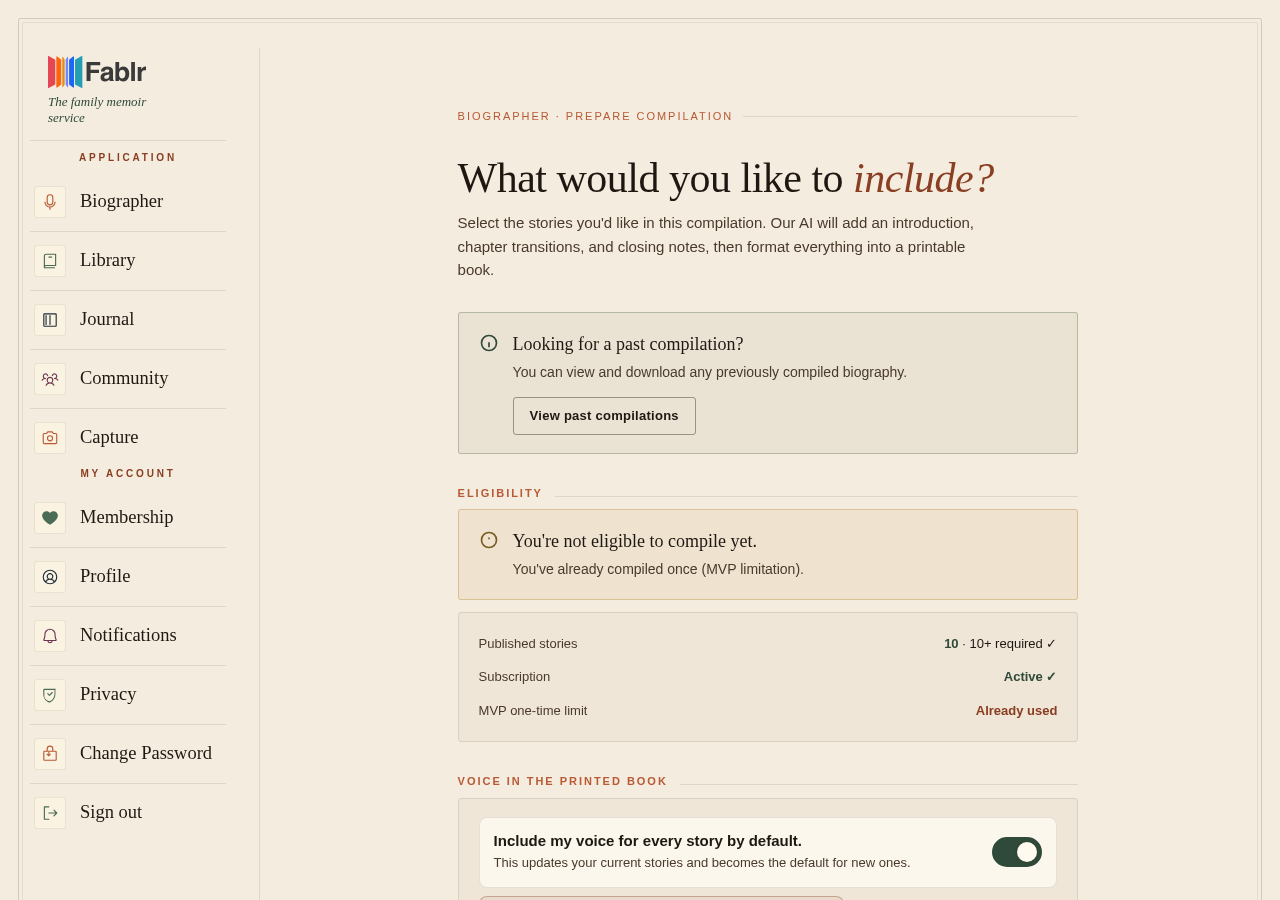
- A full book preview is available only after compilation is complete.
What to do next
- Open Your Book.
- Review the chapters there.
- Open any story that needs a closer read.
- Edit stories or photos before compiling if something is wrong.
- Open My Compilations if you already compiled a book.
- Use Preview or Download PDF on a completed compilation when those actions are shown.
What you should see
How you know it worked
You can see your chapters in Your Book, or a completed compilation with preview or download actions.
If something goes wrong
No compiled book appears.
Compile your book first, then return to My Compilations after it finishes.
A compilation is still processing.
Use the status shown on the compilation page instead of starting another compile.
A story needs edits.
Edit it before compiling so the preview uses the version you want.
Still need a hand?
Reach our support team through the contact page. We are glad to help, and you do not need to sign in first.
Go to the contact page