
Compile your book
Use book preparation when your story collection is ready for a preview.
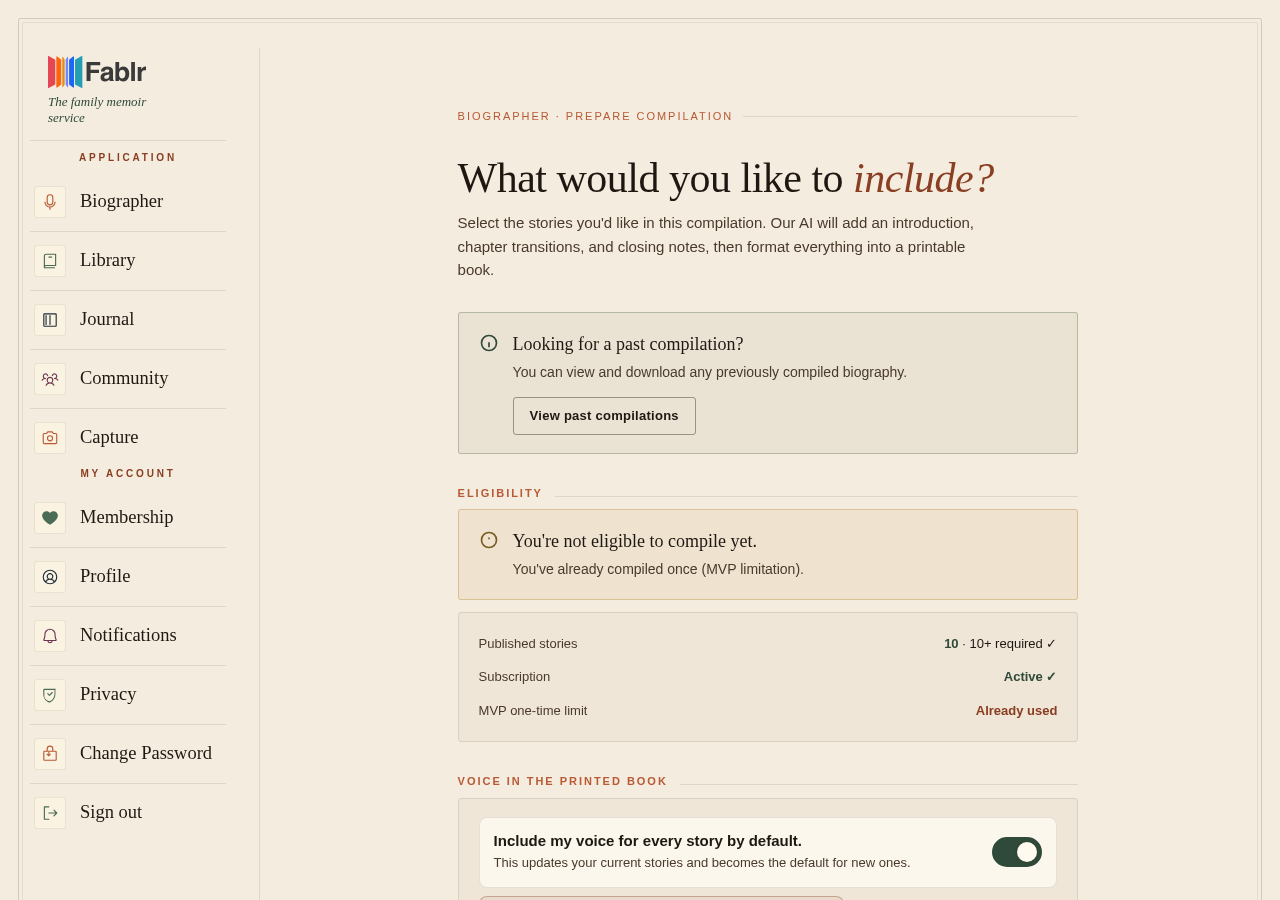
Compile your book from book preparation when your account is eligible: active access, enough published stories, and no existing completed compilation in this flow.
Who this is for
Storytellers and account owners preparing a book preview.
Before you start
- Read through Your Book first.
- The preparation page shows eligibility, including story count and access state.
- Fablr currently supports one completed compilation in this flow.
What to do next
- Open the book preparation page.
- Review the eligibility checklist.
- Select the stories to include if the page asks you to choose.
- Review style, greeting, and photo warnings shown on the page.
- Choose Start compilation.
- Watch the processing page or return later through My Compilations.
What you should see
How you know it worked
The success page shows a book-ready manuscript with actions such as preview or download.
If something goes wrong
Start compilation is disabled.
Check active access, story count, and whether a completed compilation already exists.
A compilation failed.
Use the retry action shown in My Compilations if one is available.
Still need a hand?
Reach our support team through the contact page. We are glad to help, and you do not need to sign in first.
Go to the contact page